


How to read our eBooks (ePubs)
Website Help
We have a number of multimedia eBooks available on Kauwhata Reo. Many of these eBooks have audio, and our online reader allows you to auto play them and sit back and enjoy.
How to read an eBook online
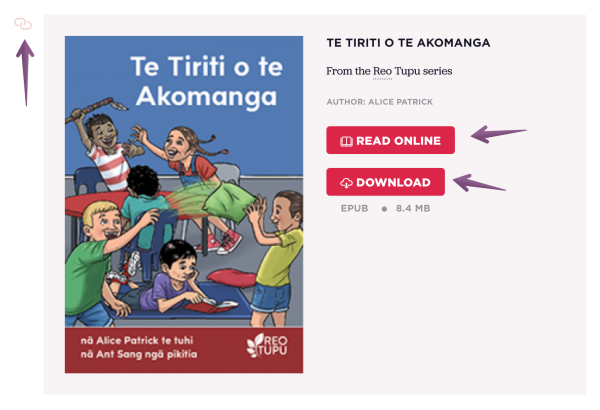
Tap the Read Online button to read and listen to these eBooks using our built in online reader.
Tap the Download button to download the ePub file to your computer, and read it with an ePub reader. Macbooks' preinstalled "Books" app works well, and there are a number of ePub readers you can search for and download to use.
If you come across an eBook that is embedded inside another resource it will have a 'pink link icon' which will take you back to the eBooks original resource page.
Using the ePub online reader
The built in Online Reader is simple to use - but if you would like to autoplay play an eBook, then select the following, in this order:
1. Select Auto Page-Turn

2. Then select Read Aloud (enabled when audio is available)
At any time, you can turn these options off, or advance and return manually using the forward and back buttons.
